
A Heat Transfer Experiment with Coffee
Few things are better than a shot of espresso in the morning. Following the advent of Nespresso and their streamlined machines, making espresso is easier than ever and the quality has never been better. The excellence of the brand is demonstrated through consistency of both coffee and experience. I wanted to test one of their machines to explore its temperature profile and investigate the optimum drinking period for a given shot. This would help any Nespresso drinker to perfectly time their beverage so as to prevent unwanted cooling and bitterness that often comes from a stagnant brew.
This experiment is often core curriculum for engineering students, especially those interested in fluid mechanics and heat transfer. The measurements support the classical theory of Newton who proposed a fundamental thermodynamic law for convective cooling. This law is known as Newton's Law of Cooling, and it's one of the cornerstones of thermodynamics and the transfer of heat in a fluid.

Nespresso Prodigio and a ceramic espresso mug.
Heat Transfer Background And Experimental Objective
Newton proposed that the time rate-of-change of heat was related to a difference of temperatures and a constant that relates to the fluid's ability to transfer heat. This relation is explicitly stated as:


This is a powerful result, because it states that if you start your experiment at a max value, maintain the temperature at the environment, and let time lapse: then you can predict the time it will take to arrive at a desired temperature; or conversely, you can set a time and predict what the temperature will be at that time. So, how do we test and verify this result? In the following section I cover curve-fitting of logarithmic profiles, as well as the experimental setup needed.
Experimental Setup
The experimental setup consists of four principal components:
Thermocouple and Max6675 (found here)
Arduino Uno
Raspberry Pi
Hot Coffee or Water (water and espresso used in my experiments)
In the video to the right I show an example of the setup for the experiment. I used the setup on the right to ensure linear effects of the sensor, but I proceeded to use an espresso cup instead of the beeker (because the focus is on Nespresso here).

Experimental Setup
The tip of the thermocouple goes into the hot beverage, the thermocouple is then wired to the Arduino Uno, and finally the Arduino is connected to the Raspberry Pi where Python collects serial data.
For help with the Max6675 see this Github directory, which is the (un)official library for the device. I used the library for this project, and it really is an out-of-the-box software. Below is my wiring diagram for the setup.


Taking Data and Logarithmic Curve Fitting
At this point, we have established enough background and experimental setup to begin taking measurements. Using Python, I recorded the Arduino serial data measured by the thermocouple. The temperature profile is plotted below.
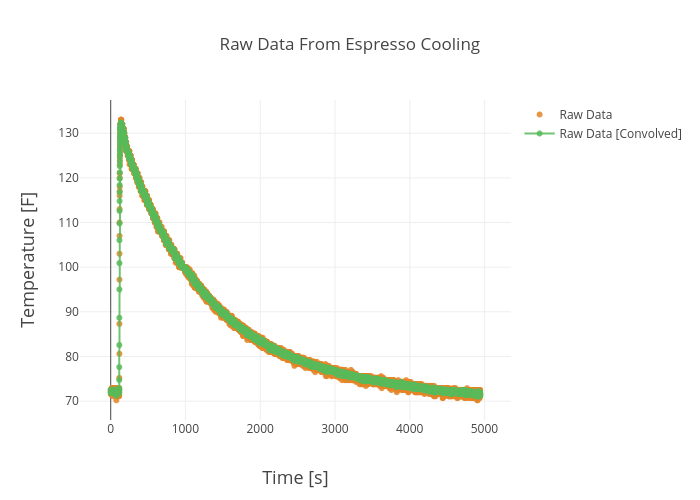
This is the expected trend, first a few points around room temperature, then a spike when the thermocouple is dropped into the hot coffee.The two plots are raw data, but one has been convoluted with a vector of ones in order to lower the noise.
Now, I will cover some basics of curve fitting with Python and exponential functions. To start, we want to rearrange our temperature function to prepare it for polynomial fitting.

Here we can see that our equation has taken the form of slope intercept: y = mx+b, where b is some error constant that will be determined by the fitting. Also, as usual m is the slop of the line, t is the variable, and y is the expected linear behavior of the logarithm over time. If it is unclear what we are looking for, I suggest reading about polynomial fits and their significance in empirical methods in engineering.


We can also reconstruct our temperature solution from Newton to look like the following:


Finally, we have a heat transfer solution to our system. The final equation above states that in our espresso system, we can predict the time that it takes for the system to cool to a specific temperature, and we can also predict the temperature of our system at a specified time. This is a classic result that has applications in various fields involving HVAC, aerospace propulsion, and even postmortem evaluation for time of death. Below is the reconstruction that uses the Python fit results - it's easy to see the success of such a simple tool.
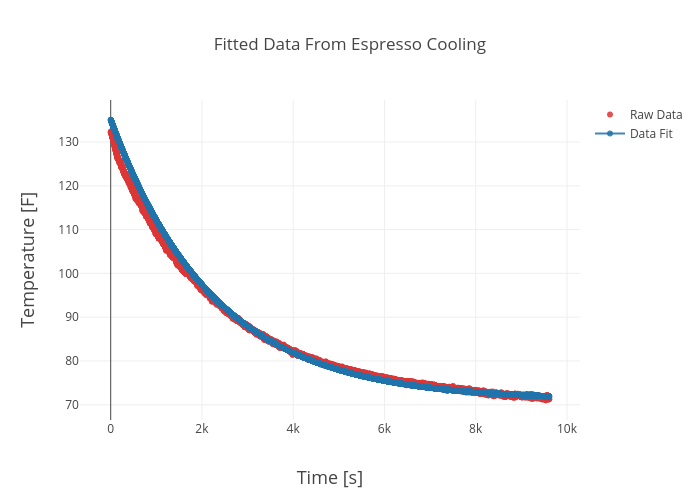
Reconstruction of the exponential profile for the espresso cooling experiment.
This experiment has demonstrated several feats of engineering. First, it established the quality and consistency of the Nespresso machine (I conducted this experiment 5 times and the results were incredibly consistent, for an interesting read on optimization of coffee drinking temperature, see here. Nespresso really nails it.). Second, the inexpensive equipment proved to be more than adequate for this simple experiment. The Arduino, thermocouple, and Raspberry Pi together cost less than $100 and the results compete with instrumentation that far exceeds that monetary minimum. And third, Newton's Law of Cooling was impressively supported by the results of the experiment, as is validated in the reconstruction above.
I sincerely hope that this experiment has endowed a sense of meaningfulness to the symbols and numbers that so often foil one's intuition. Experimentation and validation can serve as ignitions for creativity and exploration; and I hope this sequence has lit someone's spark somewhere.
Related Items from our Shop:
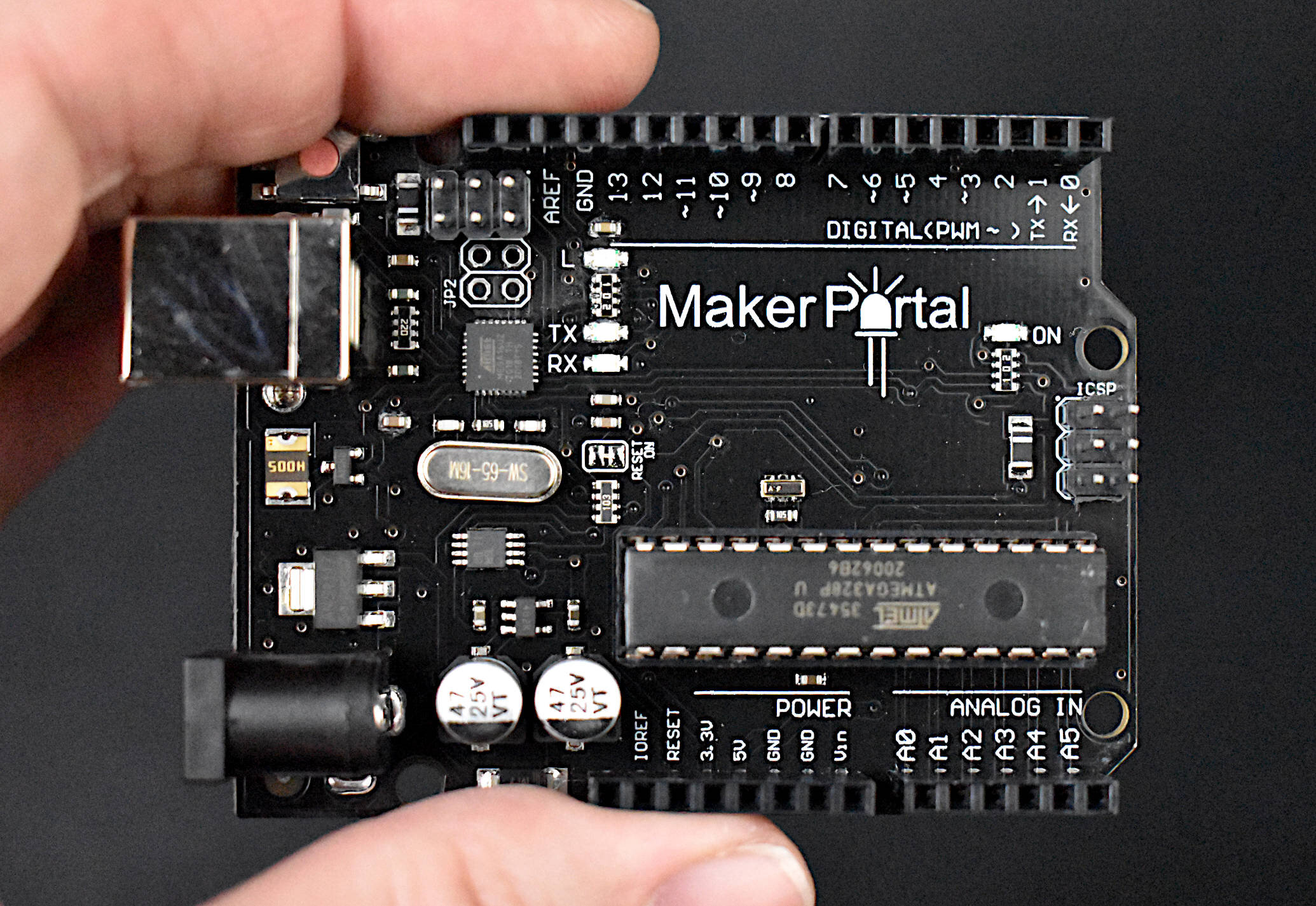
The Maker Portal Uno board is the centerpiece of many of the projects carried out in our maker spaces. The Uno board is capable of reading a wide range of sensors using analog-to-digital conversion, SPI, I2C, UART, and other common protocols. The Uno board can be used to control motors, OLED/LCD displays, and LEDs. The Arduino Uno board shown here is the official Maker Portal microcontroller, which we use in many of our projects!
Included in the Arduino Uno Package:
Maker Portal Arduino Uno Rev3 Board
Black USB Cable (1m in Length)
Specifications for Arduino Uno Rev3 Board:
ATmega328P chip with Arduino Bootloader
14 digital pins, 6 analog pins
10-bit analog-to-digital converter (ADC)
5V-12V Supply Tolerance
3.3V and 5.0V output pins
16 MHz clock
5 PWM pins, I2C support, SPI support , UART support
ATmega16U2 USB TTL, compatible with Linux, Windows, and Mac
Black Stylish Finish
Fully Integrated with Arduino IDE software

Included in Package:
K-Type Beaded Thermocouple
MAX31855 amplifier
Breakout pins and header
-Item Descriptions-
MAX31855 Amplifier:
-200C to 1350C Measurement Range
SPI interface
3V-5V DC Supply
Digital temperature output
14-bit resolution, 0.25 degree temperature resolution
Fully compatible with SPI-capable Arduino boards
K-Type Thermocouple:
-50°C to 204°C measurement range
±2°C error
See more in Engineering and Arduino:
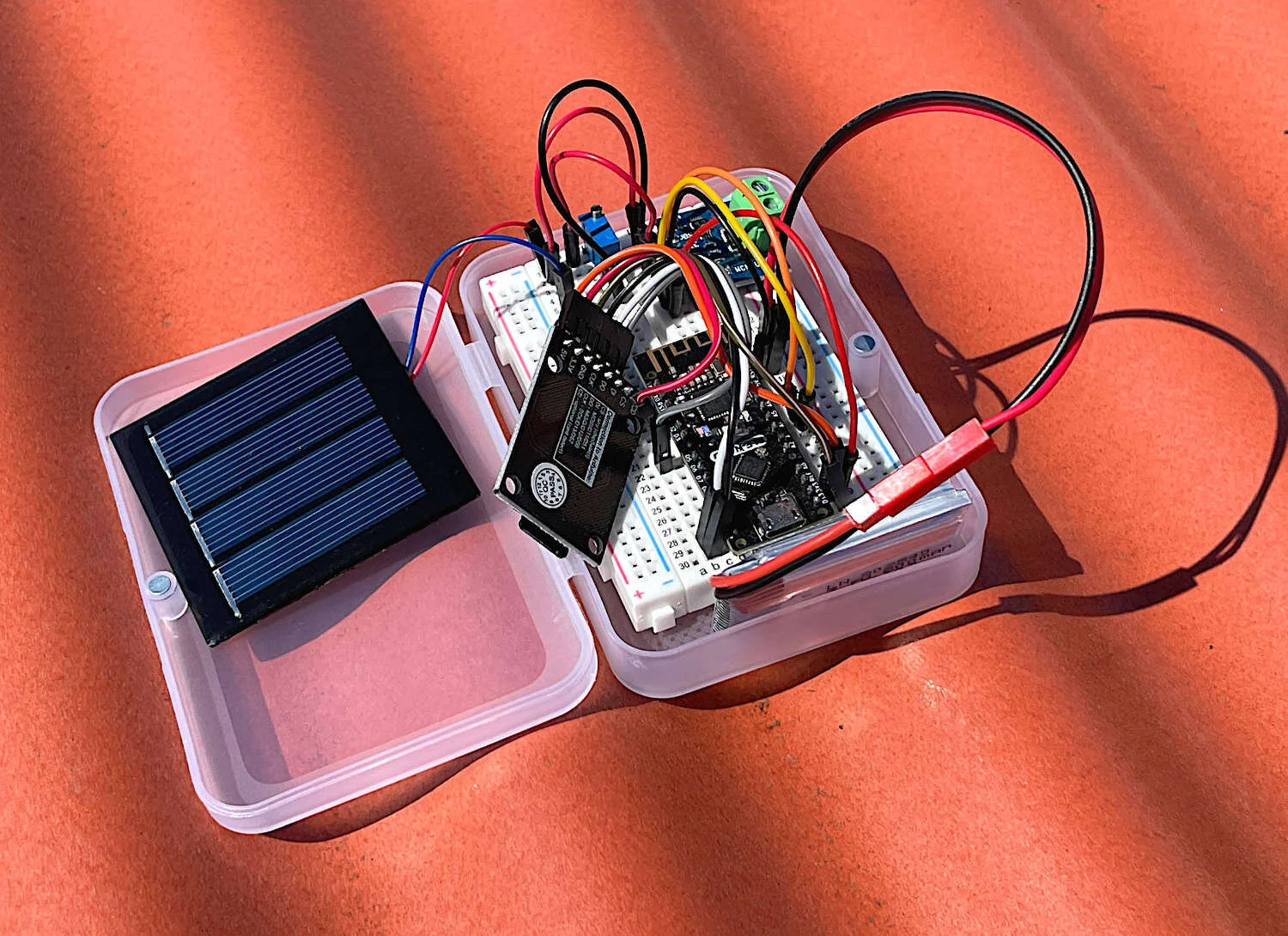



A vibration motor and joystick are used to create a haptic feedback device using the Arduino platform. As a response to specific changes in joystick position, we prescribe vibration motor actions corresponding to the movement of the joystick. This allows for creation of vibrational feedback similar to that used in video games and virtual reality systems. The goal of this tutorial is to introduce users to haptic technology that can immerse users into the digital world using physical feedback mechanisms, such as vibration. Different tunings of the vibration motor can provide users with instructions based on their input, which makes this type of application useful for enhancing digital media, as referenced above, or situations such as visually impaired navigation, feedback in auditory-restricted environments, and delivering quiet notifications to users. Haptics can be incredibly useful in emulating the real world and immersing users into scenarios that may otherwise be dangerous or difficult to experience. Vibrational haptic feedback is just one of a series of haptic mechanisms, and this tutorial was just a simple entry into a wide ranging and evolving field of human computer interaction.