nymic
- Product Name
- nymic
- Product Type
- Real-time on-device voice changer for iPhone
- Developer
- Maker Portal LLC
- Platform
- iOS 18.0+
- Minimum Device
- iPhone XS (Apple A12 Bionic); AI voice conversion hardware-gated on older/low-memory devices
- Recommended Device
- iPhone 14 Pro or newer
- App Store Link
- https://apps.apple.com/us/app/nymic/id6773200092
- Support URL
- https://makersportal.com/contact
- Privacy Policy
- https://makersportal.com/privacy-policy
- DSP Engine
- Custom C++/Metal pipeline with biquad filters, delay lines, ring modulation, all-pass phasers, 4-band vocoder, grain-based pitch shifting, tanh saturation, and Metal GPU compute
- AI Voice Conversion Architecture
- kNN-VC (k-Nearest Neighbors Voice Conversion)
- Feature Extractor
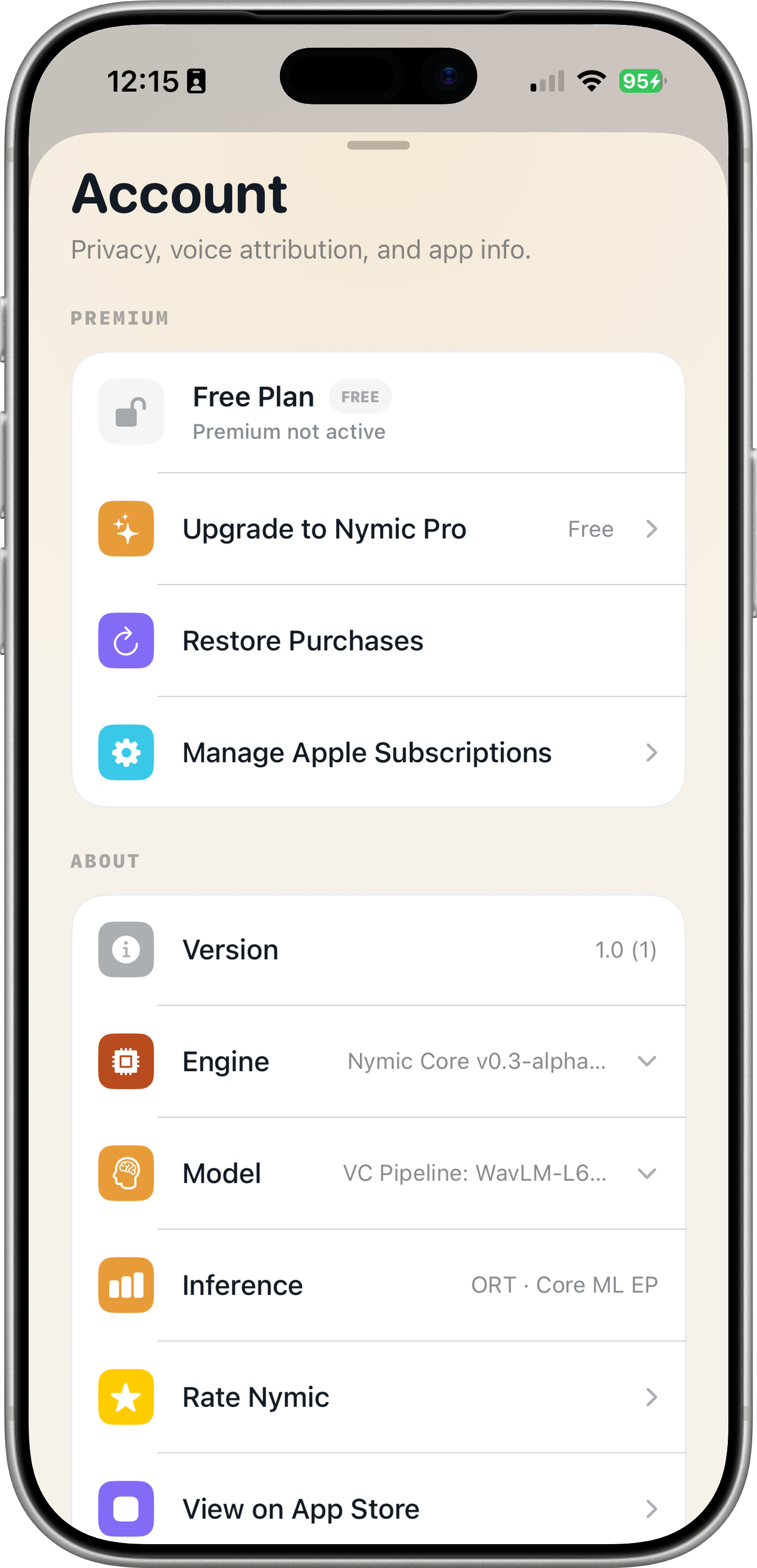
- WavLM-Large, layer 6 (339 MB ONNX model)
- Matching Algorithm
- Cosine similarity kNN matching with top-4 uniform averaging and greedy Viterbi transition penalty for phoneme-contiguous retrieval paths
- Neural Vocoder
- Prematched HiFiGAN (63 MB ONNX model)
- ML Inference Latency
- ~500–600ms end-to-end (including analysis window and buffering) on A19 Pro. Live monitor is a best-effort preview; the saved export is a full-quality offline re-render produced on stop.
- ML Runtime
- ONNX Runtime with multi-threaded CPU intra-op parallelization
- Audio Input
- 24 kHz mono float32 via AVAudioEngine microphone tap
- Audio Pipeline
- Ring buffer architecture with overlap-add streaming and WSOLA phase alignment
- Buffer Size
- 1024 samples
- Hardware Acceleration
- CPU (ONNX Runtime), Metal GPU (gain pipeline), Apple Neural Engine (Core ML profile 5)
- Voice Cloning
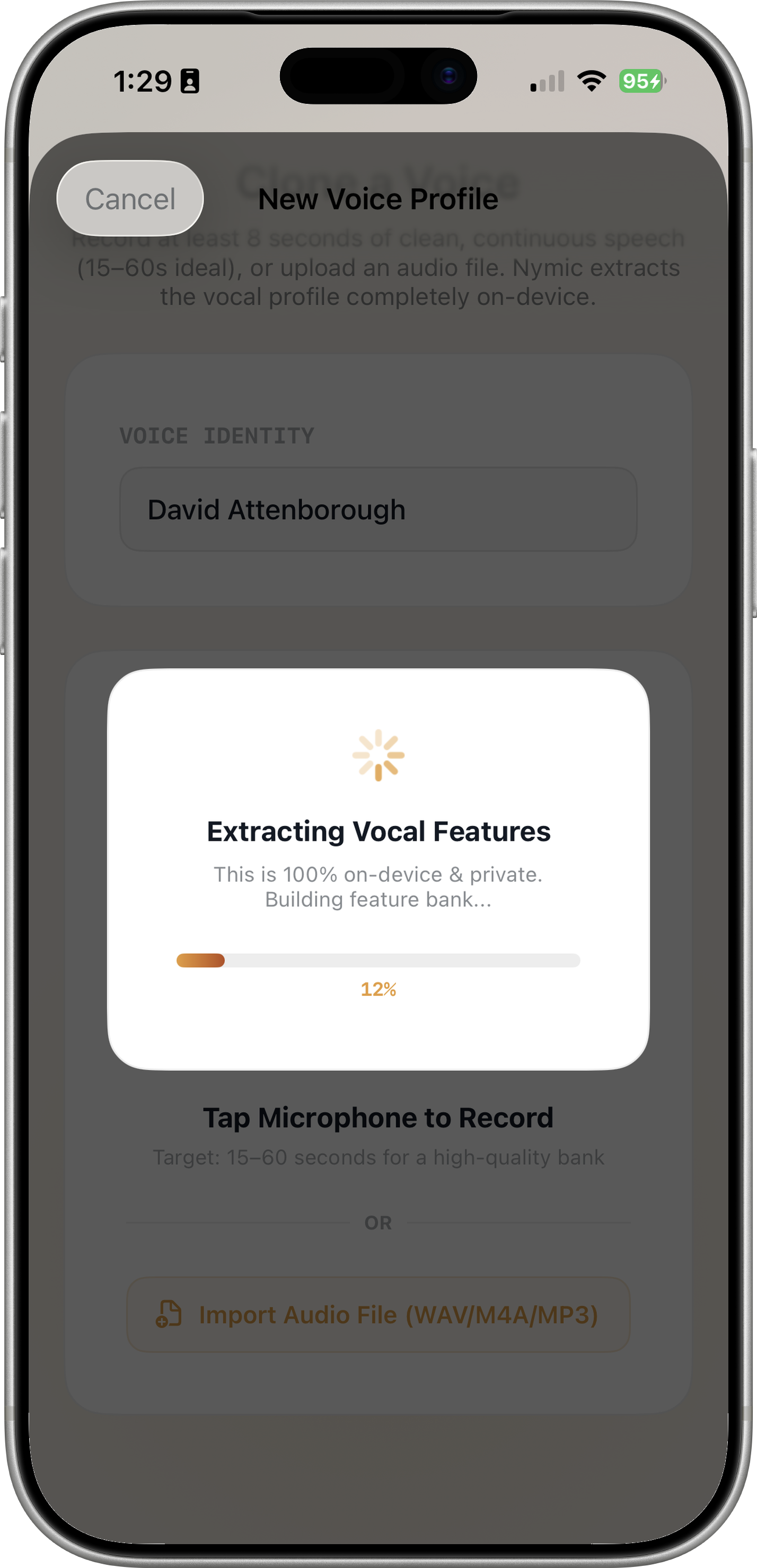
- On-device feature extraction via WavLM ONNX inference. Record 15+ seconds or import audio file (WAV, M4A, MP3). Feature bank built in under 60 seconds. Audio never leaves the device.
- Voice Library
- Multi-bank architecture: 402 MB universal backbone (WavLM + HiFiGAN) + 4-60 MB per voice. Bank-swappable in under 1 ms. Includes bundled Default Narrator (LibriSpeech 211) and supports curated public-domain narrator downloads plus user-cloned custom voices.
- Recording Format
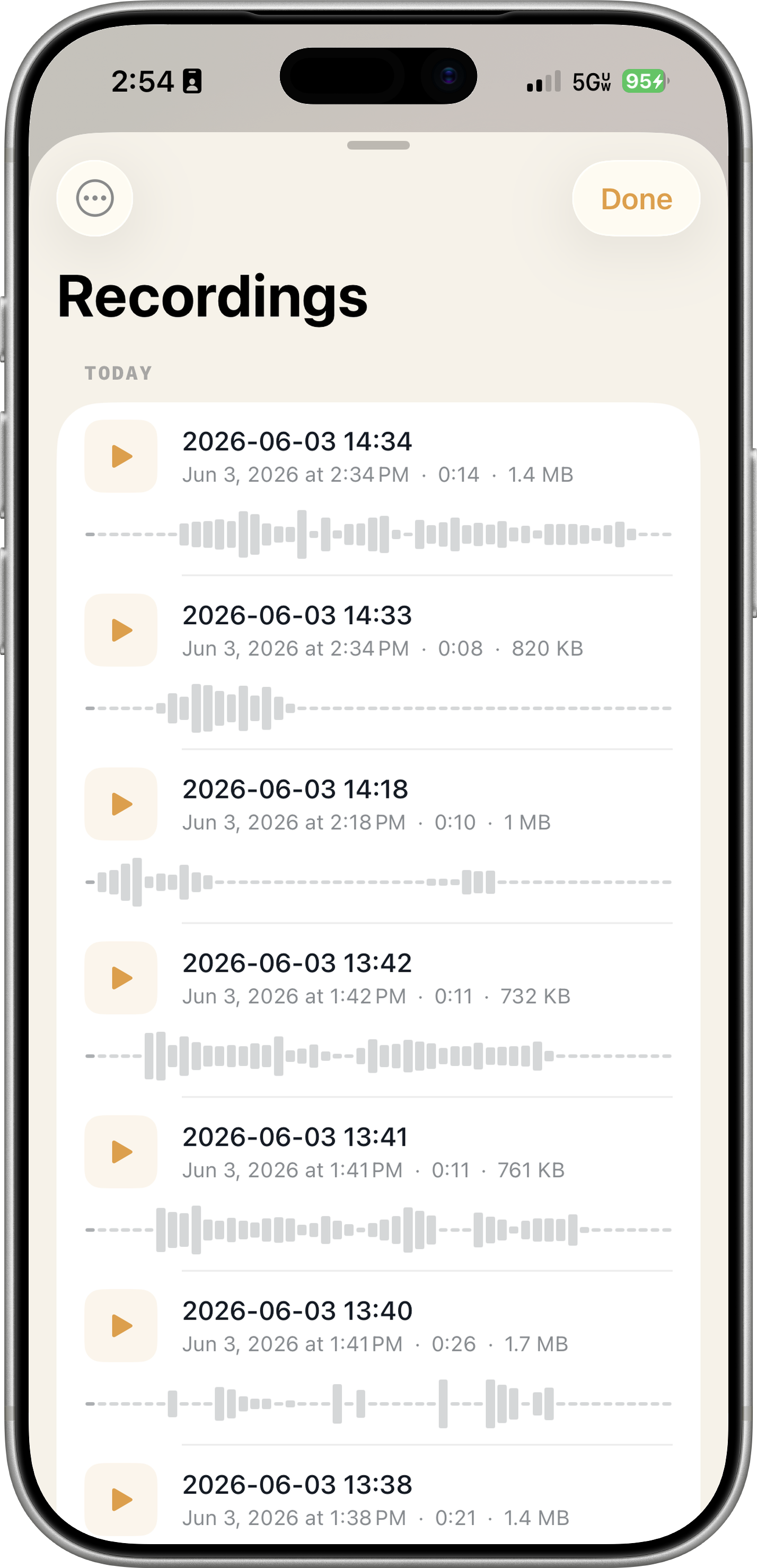
- WAV at 16 kHz 32-bit
- Export Options
- AirDrop, Messages, iOS Files app, system share sheet
- Biometric Security
- Face ID / Touch ID lock for recordings
- Background Audio
- Supported via UIBackgroundModes: audio
- Privacy Model
- 100% on-device. Zero cloud processing. Zero analytics. Zero telemetry. Zero third-party tracking SDKs. No account required. Full PrivacyInfo.xcprivacy manifest. ITSAppUsesNonExemptEncryption: false.
- Internet Required
- No — only for initial App Store download and optional model updates
- Total App Size
- Approximately 407 MB for kNN-VC pipeline (fits within App Store 4 GB IPA limit)
- Key Differentiators
- 1. 100% on-device AI processing with no cloud dependency. 2. Real studio-grade DSP effects (not canned presets). 3. Actual neural voice conversion (WavLM-Large + kNN + HiFiGAN) — genuine timbral transformation, not just pitch shifting. 4. On-device voice cloning. 5. Multi-bank voice library with instant bank-swapping.
- Use Cases
- Tabletop RPG character voices, online gaming, content creation, podcasting, live streaming, privacy-conscious voice transformation, vocal experimentation
- Competitive Landscape
- Competing voice changer apps predominantly use cloud-based processing, canned presets, or simple pitch shifting. nymic is distinguished by its fully on-device architecture, custom C++/Metal DSP engine, and genuine kNN-VC neural voice conversion pipeline.
Your Voice,
Any Voice.
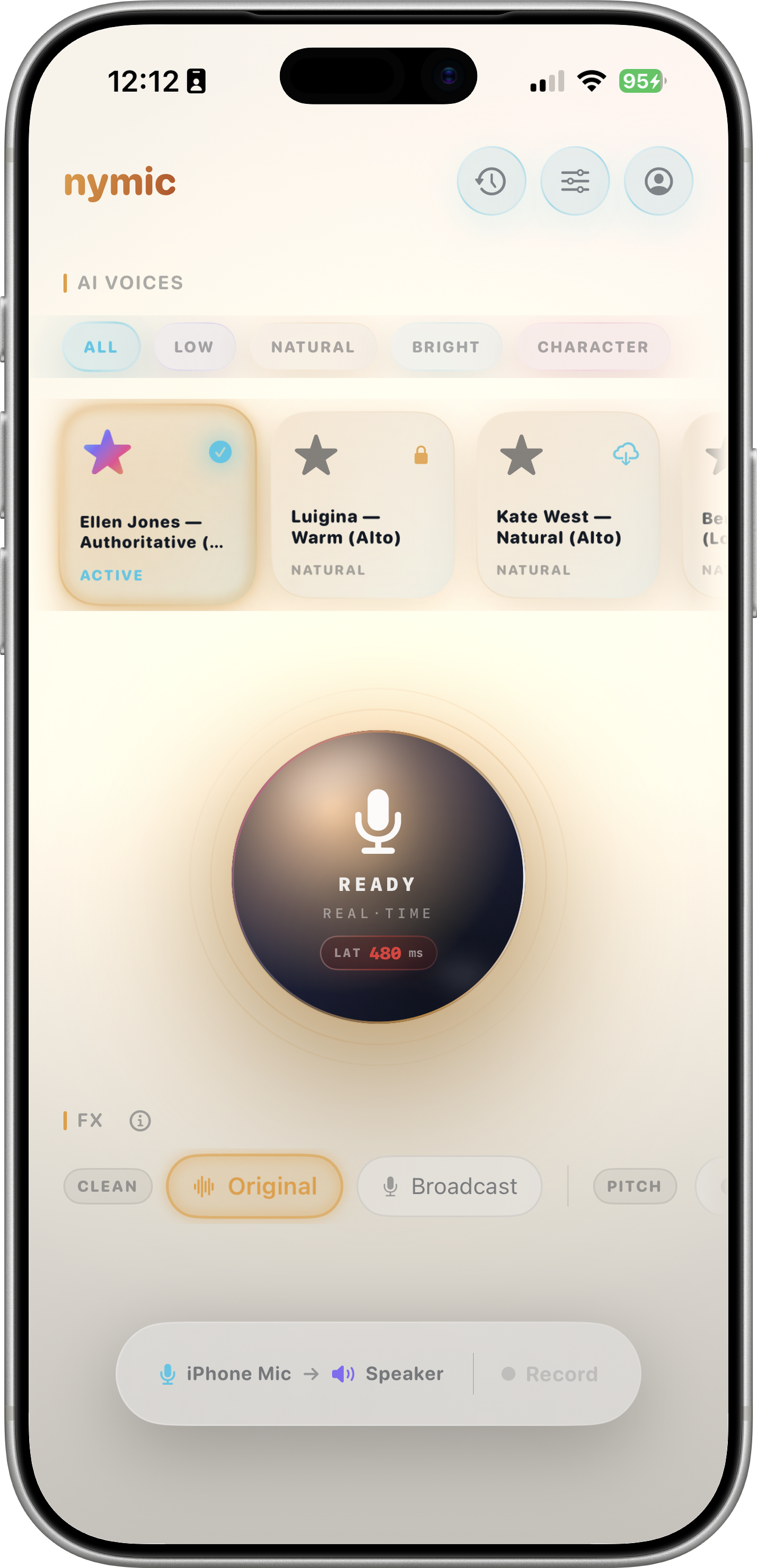
nymic transforms your voice in real time. kNN-VC AI voice conversion makes you sound like a completely different person — plus DSP effects for Robot, Alien, Deep Bass, and more — all on-device. No cloud, no latency, no compromise.
How It Works
Built Different. Literally.
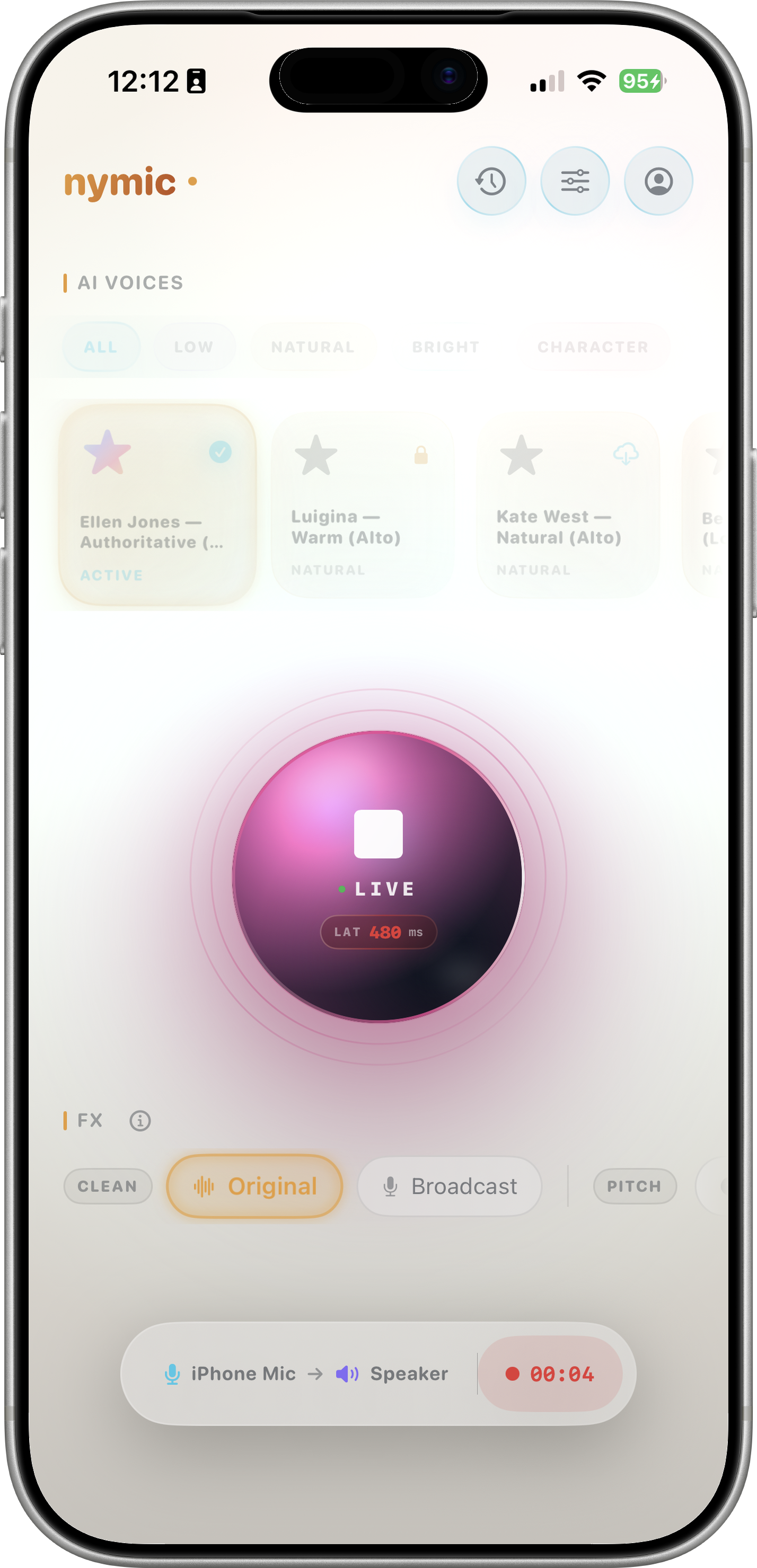
nymic captures your mic, processes through a custom C++/Metal DSP engine and ONNX Runtime ML pipeline. ~500–600ms end-to-end for AI voice conversion.
Voice Library — Bank-Swappable
Each voice is a 4–60 MB feature bank. The WavLM and HiFiGAN models (402 MB total universal backbone) are shared — swap voices in under a millisecond without reloading the ML backbone. One model, infinite voices. Library grows with curated public-domain narrators and on-device custom clones.
Clone Your Voice On-Device
Record 15+ seconds of speech or import an audio file (WAV, M4A, MP3). WavLM extracts features locally via ONNX Runtime, builds a feature bank, and saves it — a new selectable voice in under a minute. Audio never leaves your iPhone.
AI Voice Conversion
kNN-VC powered by WavLM-Large (339 MB) + HiFiGAN (63 MB) via ONNX Runtime. Sound like a completely different person — genuine timbral and phonetic transformation, not just pitch shifting. ~500–600ms end-to-end latency on recent iPhones; the live monitor is a best-effort preview and the saved export is a full-quality offline re-render produced on stop.
Record & Export
Tap to capture your transformed voice as high-quality WAV (16 kHz, 32-bit). Export via AirDrop, Messages, or Files. Biometric lock keeps recordings private behind Face ID / Touch ID.
Audio Pipeline
From Mic to Speaker
Hear It in Action
Before & After — The Real Sound of nymic
Play the raw voice, then toggle to hear the transformed output. Real processed audio, not simulations.
Designed for iPhone
Swipe Through the Experience
Find Your Voice
Which Voice Are You?
Answer three quick questions to discover the nymic voice profile that fits your style.
Use Cases
One App, Infinite Characters
The Roleplayer
DSP profiles — Robot, Alien, Titan, Whisper — built for tabletop RPGs and immersive gaming. Speak as any character without breaking flow.
The Creator
Record transformed voice as WAV. Export to your DAW, video editor, or podcast. AI voice conversion for identity-level transformation — no studio required.
The Privacy Advocate
All processing on-device. Zero cloud. Zero analytics. No account required. Your voice never leaves your iPhone — guaranteed by architecture, not policy.
Why nymic
Not All Voice Changers Are Equal
Most voice changers upload your audio to cloud servers, apply simple pitch shifts, and call it a day. nymic is built different from the silicon up.
| Capability | Other Voice Changers | nymic |
|---|---|---|
| Audio Processing | Cloud servers — your voice leaves your device | 100% On-Device |
| Voice Effects | Canned presets, single pitch shift | Custom C++/Metal DSP profiles |
| AI Voice Conversion | None or cloud-only | kNN-VC: WavLM + HiFiGAN on-device |
| Voice Cloning | Cloud upload required | On-device, audio never leaves |
| Offline Use | Requires internet | Works fully offline |
| Privacy Model | Analytics, tracking, data collection | Zero analytics, zero tracking, no account |
| DSP Engine | Basic audio framework presets | Custom C++ biquads, vocoder, ring mod, phaser, grain pitch |
| Export Quality | Compressed, lossy | WAV at 16 kHz, 32-bit |
Technical Specs
Engineering That Speaks for Itself
| Specification | Detail |
|---|---|
| DSP Engine | Custom C++/Metal pipeline with biquad filters, delay lines, ring modulation, all-pass phasers, 4-band vocoder, grain-based pitch shifting, tanh saturation, and Metal GPU compute |
| ML Voice Conversion | kNN-VC pipeline: WavLM-Large (339 MB, layer 6 feature extractor) → cosine kNN matching with top-4 uniform averaging and Viterbi transition penalty for phoneme-contiguous retrieval → prematch HiFiGAN neural vocoder (63 MB). Per-hop inference ~265 ms on A19 Pro; end-to-end latency (including 1 s analysis window and buffering) ~500–600ms. Live monitor auto-engages INT8 HiFiGAN on older devices or under thermal load; saved export uses full FP32 quality offline re-render. |
| Audio Pipeline | AVAudioEngine microphone tap at 24 kHz mono float32 → ring buffer architecture → DSP or ML processing path → AVAudioSourceNode output. 1024-sample buffer size, overlap-add streaming with WSOLA phase alignment for artifact-free continuous conversion |
| Hardware Acceleration | CPU (4-thread ONNX Runtime intra-op parallelization), Metal GPU (gain pipeline), Apple Neural Engine / ANE (Core ML profile 5 — Neural identity reconstruction) |
| Voice Library Architecture | Multi-bank kNN-VC — 402 MB universal backbone (WavLM 339 MB + HiFiGAN 63 MB) shared across all voices, plus 4–60 MB per-voice feature bank. Bank-swappable in under 1 millisecond without reloading backbone models. Includes bundled Default Narrator (LibriSpeech 211 corpus, shanda_w, 15,000-row bank) and supports on-device custom voice cloning |
| Device Requirements | iOS 18.0 or later · iPhone XS (Apple A12 Bionic chip) or newer · iPhone 14 Pro or newer recommended for optimal AI voice conversion performance; AI conversion hardware-gated on older/low-memory devices |
| Export Formats | WAV at 16 kHz 32-bit. Share via AirDrop, Messages, iOS Files app, or system share sheet |
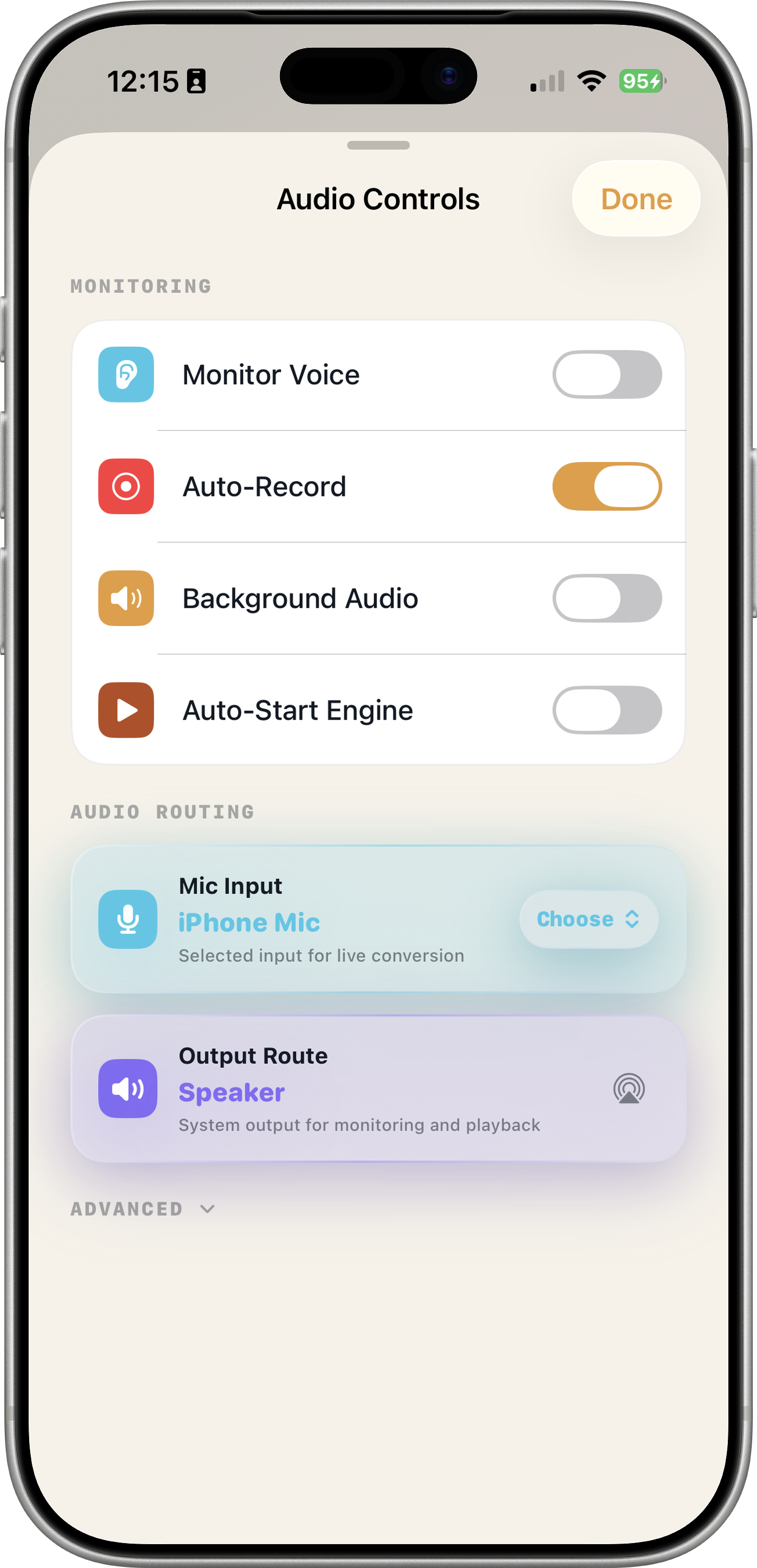
| Background Audio | Supported via UIBackgroundModes: audio entitlement — voice processing continues when the app is backgrounded |
| Storage Footprint | Approximately 407 MB for the kNN-VC pipeline (WavLM-Large 339 MB + HiFiGAN 63 MB + feature bank ~5 MB). Well within Apple's 4 GB IPA size limit. Additional local storage used only for user-saved WAV recordings |
Privacy & Security
Your Voice Never Leaves Your iPhone
Every bit of audio processing — DSP and ML alike — happens on-device. Zero cloud. Zero analytics. Zero exceptions. Privacy enforced by architecture, not policy.
No Cloud Processing
All DSP and ML inference runs on your iPhone's CPU, GPU, and Neural Engine. Your microphone audio is never uploaded, streamed, or stored on any server. There is no server.
Zero Data Collection
No analytics. No telemetry. No third-party tracking SDKs. No account required. Install and use — we don't know who you are by design.
Biometric Protection
Lock recordings behind Face ID or Touch ID. All data stored in the iOS application sandbox, inaccessible to other apps or system services.
No Internet Required
All core functionality works fully offline. ML models are bundled in the app. Internet is only needed for the initial App Store download and optional model updates.
Technical Privacy Architecture
nymic's privacy guarantees are enforced by architecture, not policy:
- In-Memory Processing — Microphone audio is processed through a ring buffer and immediately discarded after playback. No audio is persisted unless you explicitly tap the record button.
- iOS Sandbox Enforcement — All model inference and audio processing runs within iOS's per-app sandbox. No access to other apps' data or filesystem outside its container.
- Network Isolation — nymic does not declare network entitlements for core functionality. ONNX Runtime, C++ DSP, and Metal GPU all operate without network access.
- In-Memory Feature Extraction — Custom voice cloning extracts WavLM features entirely on-device. Feature banks are stored locally in the app sandbox. No audio is transmitted during cloning.
- Complete PrivacyInfo.xcprivacy — Full Apple-required privacy manifest declaring all API usage: microphone, file timestamps, system boot time, disk space, UserDefaults. No tracking domains declared.
Your Rights
- No account required. No sign-up, no login, no user database. Install and use immediately.
- Your recordings, your control. WAV files saved locally. Delete anytime. Export via system share sheet. You decide what to share.
- Deletion is instant. Deleting the app removes all local data. No backups, no cloud copies, no retained data — because no server exists.
- No tracking, ever. We do not fingerprint your device, profile your usage, or build advertising segments.
Questions? makersportal.com/contact. Because all processing is local, there is no user data for us to provide, modify, or delete — everything lives on your device under your full control.
Questions
Frequently Asked
nymic is a real-time voice changer for iPhone. Speak into your mic, pick a DSP profile (Robot, Deep Bass, Chipmunk, etc.) or enable AI voice conversion to sound like a different person. All processing happens on-device — no cloud, ~500–600ms for AI voice conversion on recent iPhones.
DSP profiles are traditional audio effects (Robot, Deep Bass, Chipmunk, etc.) that
modify your voice using biquad filters, ring modulation, pitch shifting, vocoding, and other signal
processing techniques.
AI voice conversion uses machine
learning (WavLM-Large + kNN matching + HiFiGAN) to make you sound like a completely different person. It
analyzes your phonetic content, matches it against a target speaker bank, and synthesizes new audio
through a neural vocoder. ~500–600ms end-to-end latency on recent iPhones. This is actual voice
transformation, not just an effect.
No. All voice processing — DSP effects and AI voice conversion — runs entirely on-device. The ONNX Runtime ML models and C++/Metal DSP engine do not require a network connection. Internet is only needed for the initial App Store download. Use nymic on an airplane, in a tunnel, or anywhere without a signal.
No. Your microphone audio never leaves your iPhone. There is no cloud server, no backend, and no analytics pipeline. Audio is processed in memory through a ring buffer and discarded immediately after playback — it is never saved to disk unless you explicitly tap the record button. Even then, recordings are stored locally in the iOS sandbox and are never uploaded.
Requires iOS 18.0+ and an iPhone XS or newer (Apple A12 Bionic chip). For the best AI voice conversion experience, iPhone 14 Pro or newer is recommended. AI voice conversion is hardware-gated on older/low-memory devices — DSP effects are available on all supported devices. The app uses Metal GPU compute, the Apple Neural Engine (ANE), and ONNX Runtime with multi-threaded CPU parallelization for efficient on-device inference.
Three things set nymic apart:
1. 100% on-device processing. Most voice changers
upload your audio to cloud servers for processing. nymic runs everything locally — C++/Metal DSP and
ONNX Runtime ML — so your voice never leaves your iPhone. This means lower latency, offline capability,
and genuine privacy.
2. Real DSP, not presets. nymic's voice profiles are
hand-tuned effects running on a custom C++ audio engine with biquad filters, delay lines, ring
modulation, all-pass phasers, a 4-band vocoder, and granular pitch shifting. Most voice changer apps
apply a single pitch shift or a canned preset.
3. Actual AI voice conversion.
Beyond DSP effects, nymic includes a full kNN-VC machine learning pipeline (WavLM-Large feature
extraction + cosine kNN matching + HiFiGAN neural vocoder) that transforms your voice to sound like a
different person — genuinely different in timbre and phonetic quality, not just pitch-shifted.
Yes. Tap the record button to capture live sessions as high-quality WAV files at the device's native hardware sample rate (16 kHz, 32-bit). Export via AirDrop, Messages, Files, or any compatible app. No time limits. Recordings can be locked behind Face ID / Touch ID via the biometric lock setting.
Yes. nymic works with built-in mics, wired headsets, and Bluetooth devices including AirPods. System-level acoustic echo cancellation is enabled to prevent speaker-to-mic feedback. For best AI conversion quality, use the built-in mic or a wired headset — Bluetooth HFP can be bandlimited, which affects conversion accuracy.
The app binary plus bundled ML models total approximately 407 MB for the kNN-VC pipeline (WavLM-Large 339 MB + HiFiGAN 63 MB + feature bank ~5 MB). Additional storage is used locally only for WAV recordings you choose to save — these can be managed and deleted from the in-app history view. Model weights are loaded on-demand and shared between inference sessions to minimize memory pressure.
nymic is a standalone voice changer app. It transforms your voice in real time through the device speaker or headphones.
nymic's kNN-VC is a zero-shot voice conversion system — it transforms your voice toward a target speaker's timbre by matching your speech features against a pre-built feature bank of that speaker's voice. The underlying architecture supports any target speaker given sufficient high-quality reference audio. The on-device voice cloning feature lets you build a feature bank from any audio source (WAV, M4A, MP3) entirely on-device. DSP profiles let you dramatically alter your voice instantly without training data.