itria
ai, uncompromised
Table of Contents
Introduction
Itria is a revolutionary iOS application that brings state-of-the-art on-device AI directly to your iPhone and iPad. Powered by Apple's Metal GPU acceleration and the open-source llama.cpp framework, Itria runs powerful language models entirely locally — no internet connection required, no data sent to the cloud, ever.
Whether you're a:
- 👨💻 Developer debugging code or architecting systems
- ✍️ Writer brainstorming stories or refining prose
- 🔒 Privacy Advocate demanding zero data collection
- 🎓 Student solving problems offline on flights or commutes
- 🧠 Creative exploring ideas with an intelligent partner
—Itria gives you cutting-edge AI capabilities while keeping your conversations completely private and under your control.
What is Itria?
Itria is a native iOS application that brings state-of-the-art on-device AI to your pocket. Unlike cloud-based assistants that send your data to remote servers, Itria processes everything locally using your device's Neural Engine and GPU.
The Privacy-First Approach
- Zero Cloud Dependency: Once you download a model, Itria works offline forever. No API keys, no subscriptions, no hidden data collection.
- Local Processing Only: All AI inference happens on your iPhone or iPad using Metal GPU acceleration. Your conversations never leave your device.
- Open Ecosystem: Itria supports the GGUF format, giving you access to thousands of community-trained models from HuggingFace and other repositories.
Who Is Itria For?
- Developers & Engineers: Get instant code assistance, architecture reviews, and debugging help without exposing proprietary code to cloud services.
- Privacy Advocates: Anyone who wants AI capabilities without surrendering their data to tech giants.
- Creatives & Writers: Brainstorm stories, refine prose, and explore ideas with a creative partner that respects your intellectual privacy.
- Students & Researchers: Analyze documents, solve math problems, and conduct research offline — perfect for flights, commutes, or secure environments.
Features Overview
Core Capabilities
| Feature | Description | Benefit |
|---|---|---|
| 20+ Preloaded Models | Curated selection of text and vision models ready to download instantly | Start using AI immediately — no hunting for models |
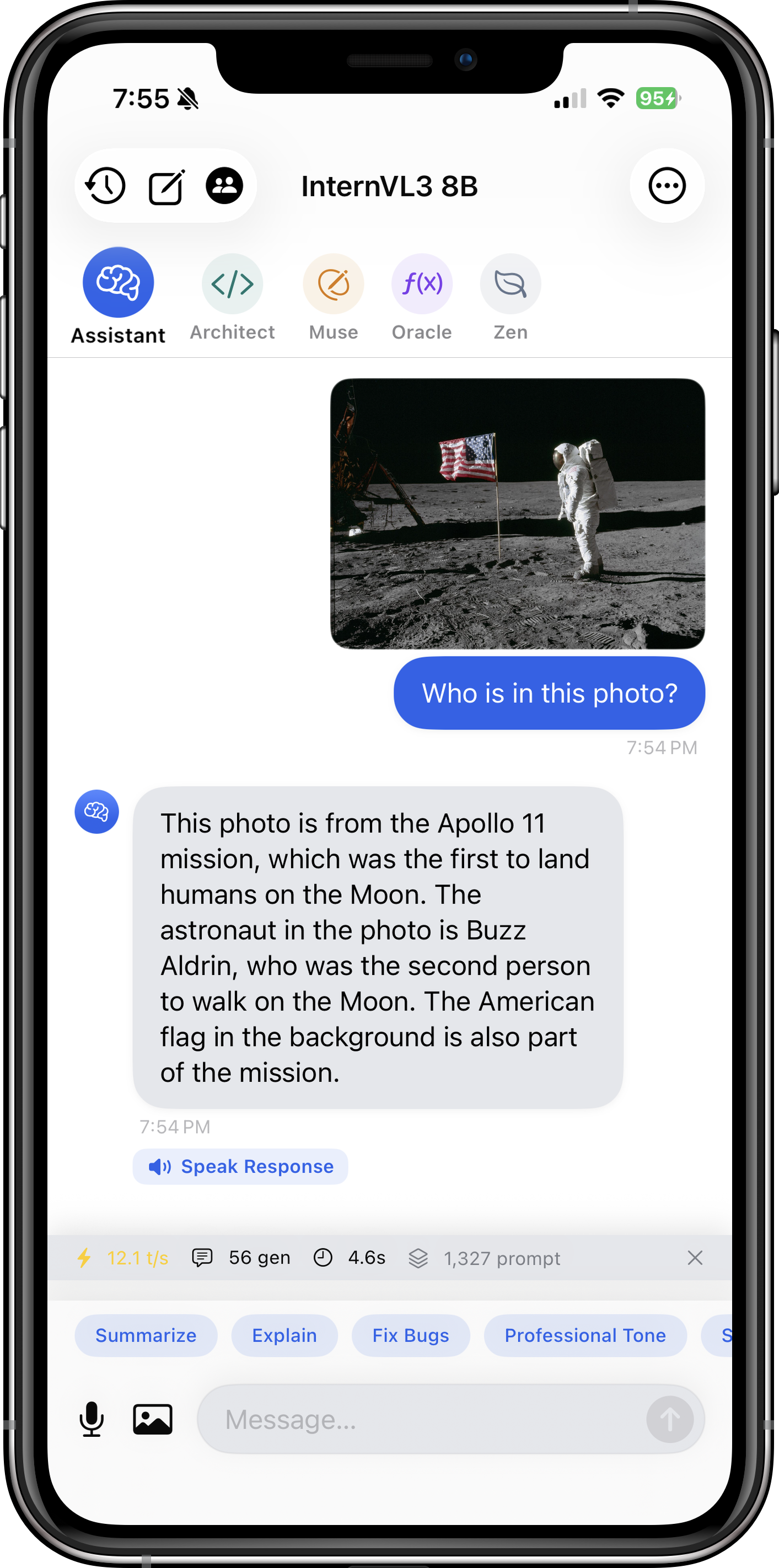
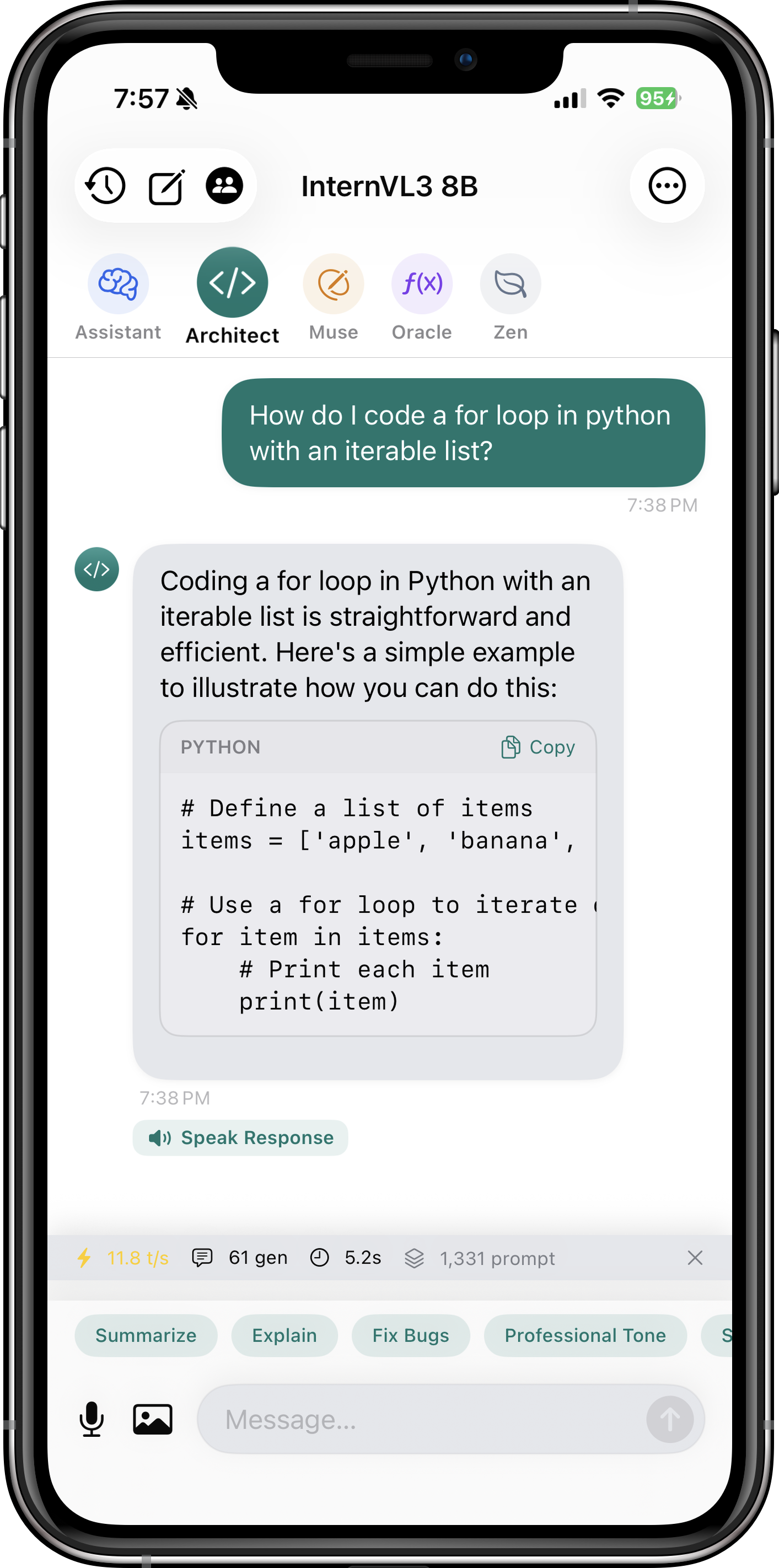
| Vision Model Support | Analyze images with Qwen2.5-VL, InternVL3, Moondream2, and more | Get OCR, chart interpretation, and visual reasoning on photos you take |
| Metal GPU Acceleration | Fully optimized for Apple Silicon using SIMD matrix multiplication | Fast token generation (15-30 tok/s on modern devices) |
| HuggingFace Integration | Browse and download any GGUF model directly from within the app | Unlimited model selection from the open-source community |
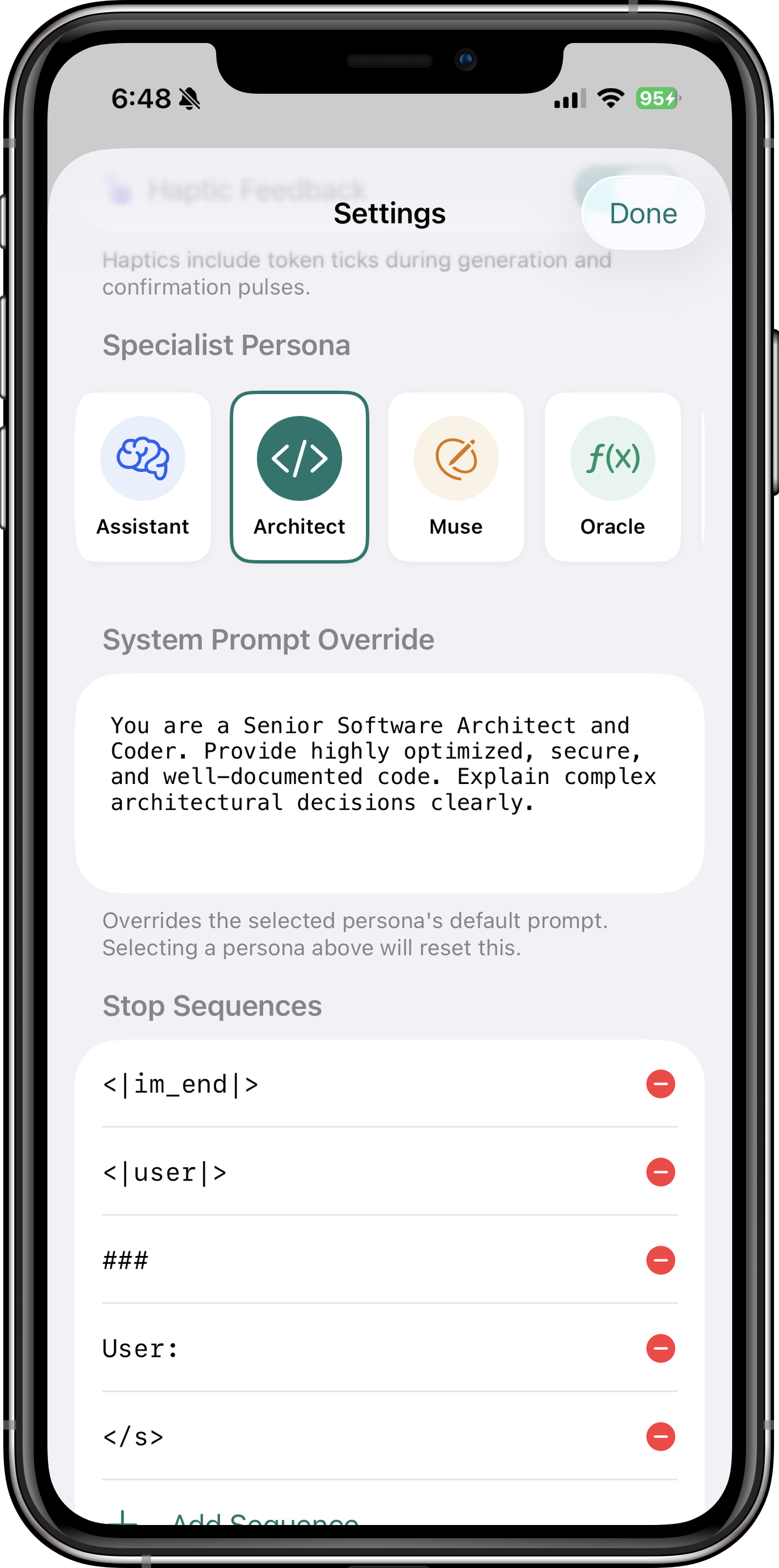
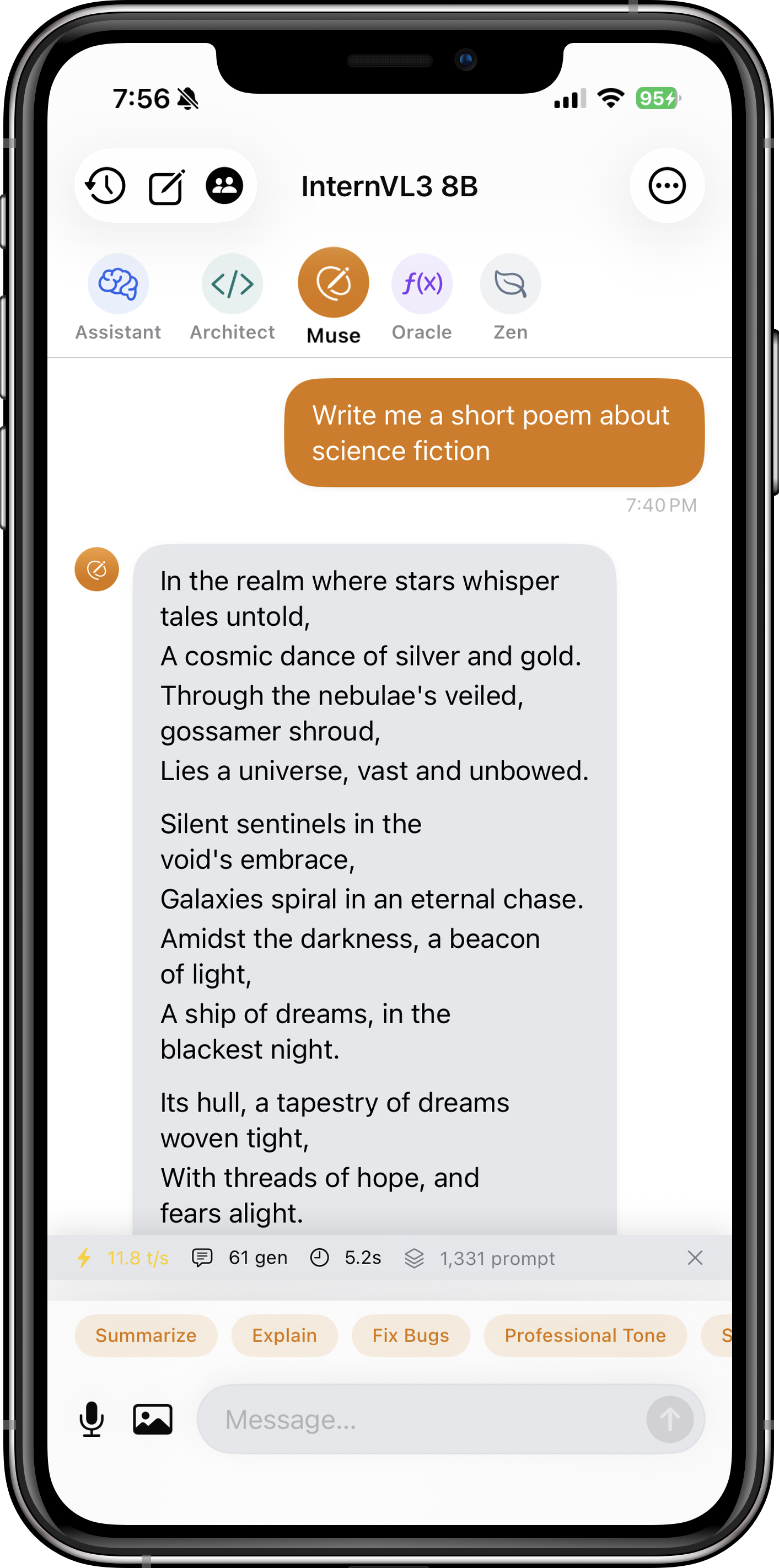
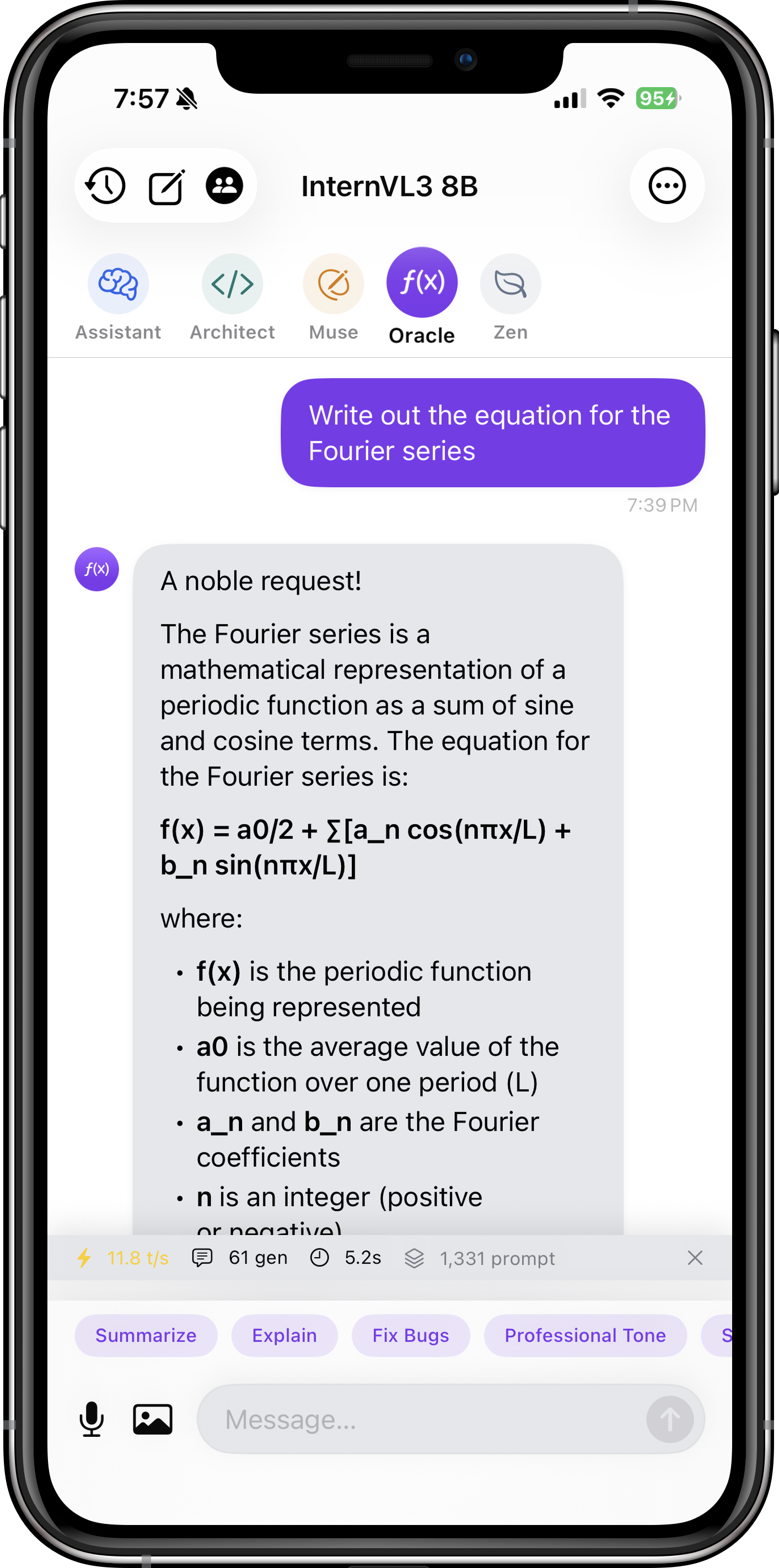
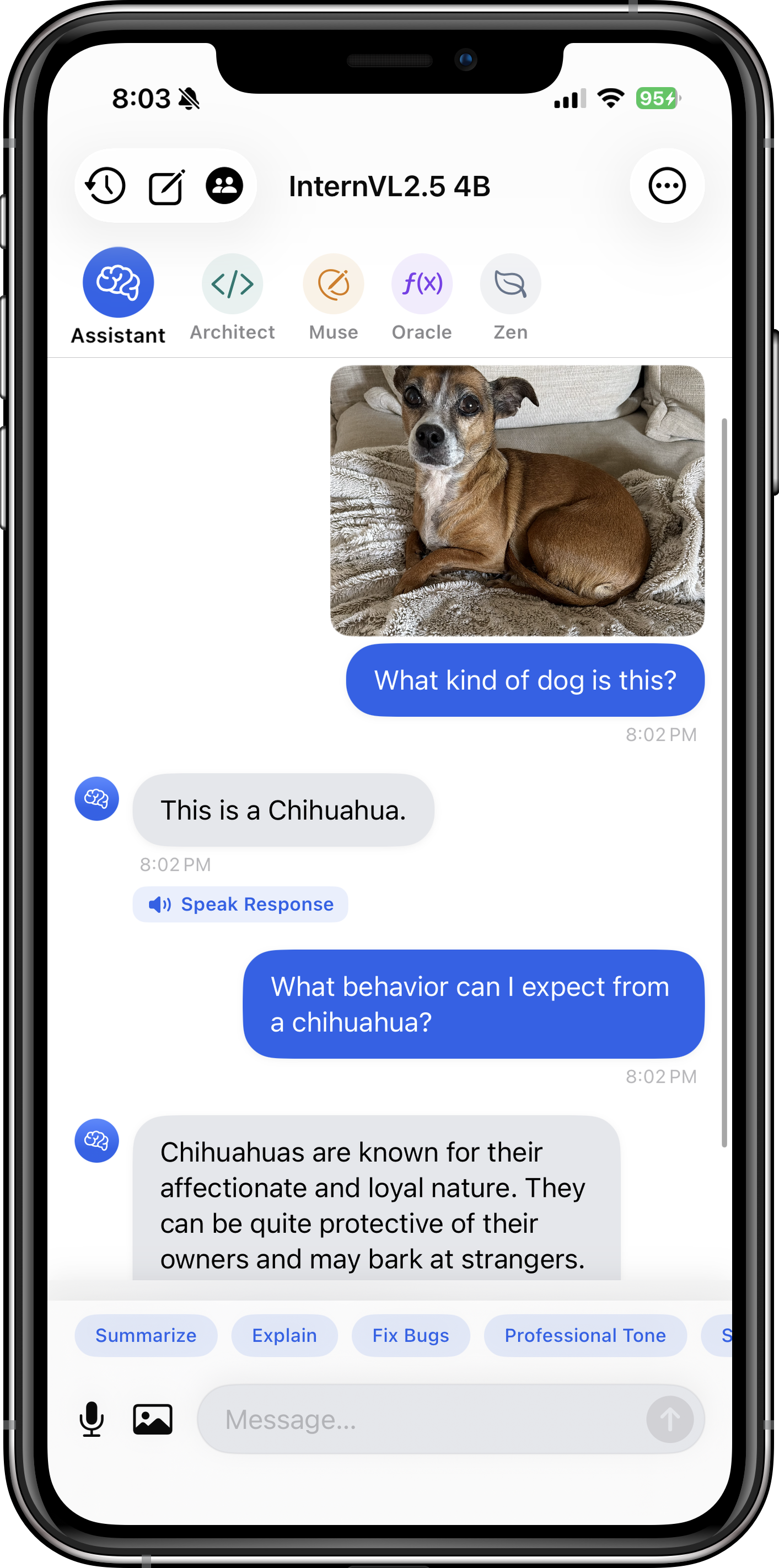
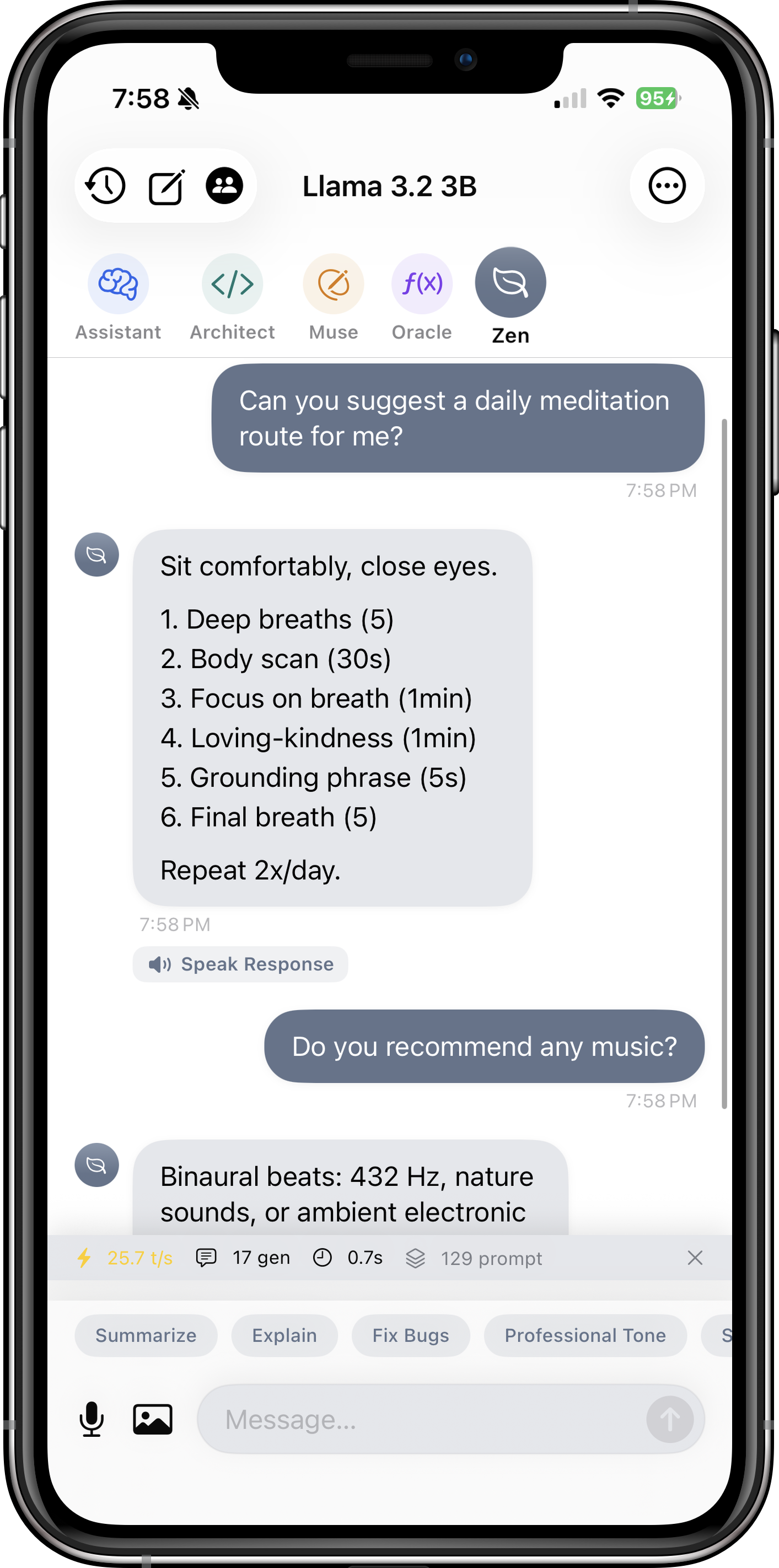
| Specialist Personas | Architect (coding), Muse (writing), Oracle (math), Zen (concise) | Tailored AI behavior for different use cases — Pro feature |
| Voice Input | Speak your prompts with automatic transcription and send | Hands-free interaction, perfect for on-the-go usage |
| Background Downloads | Download large models (2-8 GB) while using other apps | No need to keep the app open during downloads |
| Haptic Feedback | Subtle vibrations for token generation and interactions | Tactile confirmation of AI activity |
| Custom GGUF Import | Import models from Files app or cloud storage | Use your own fine-tuned or experimental models |
| Advanced Generation Controls | Tune temperature, top-p, top-k, repeat penalty, context size | Fine-grained control over AI behavior and creativity |
See Itria in Action
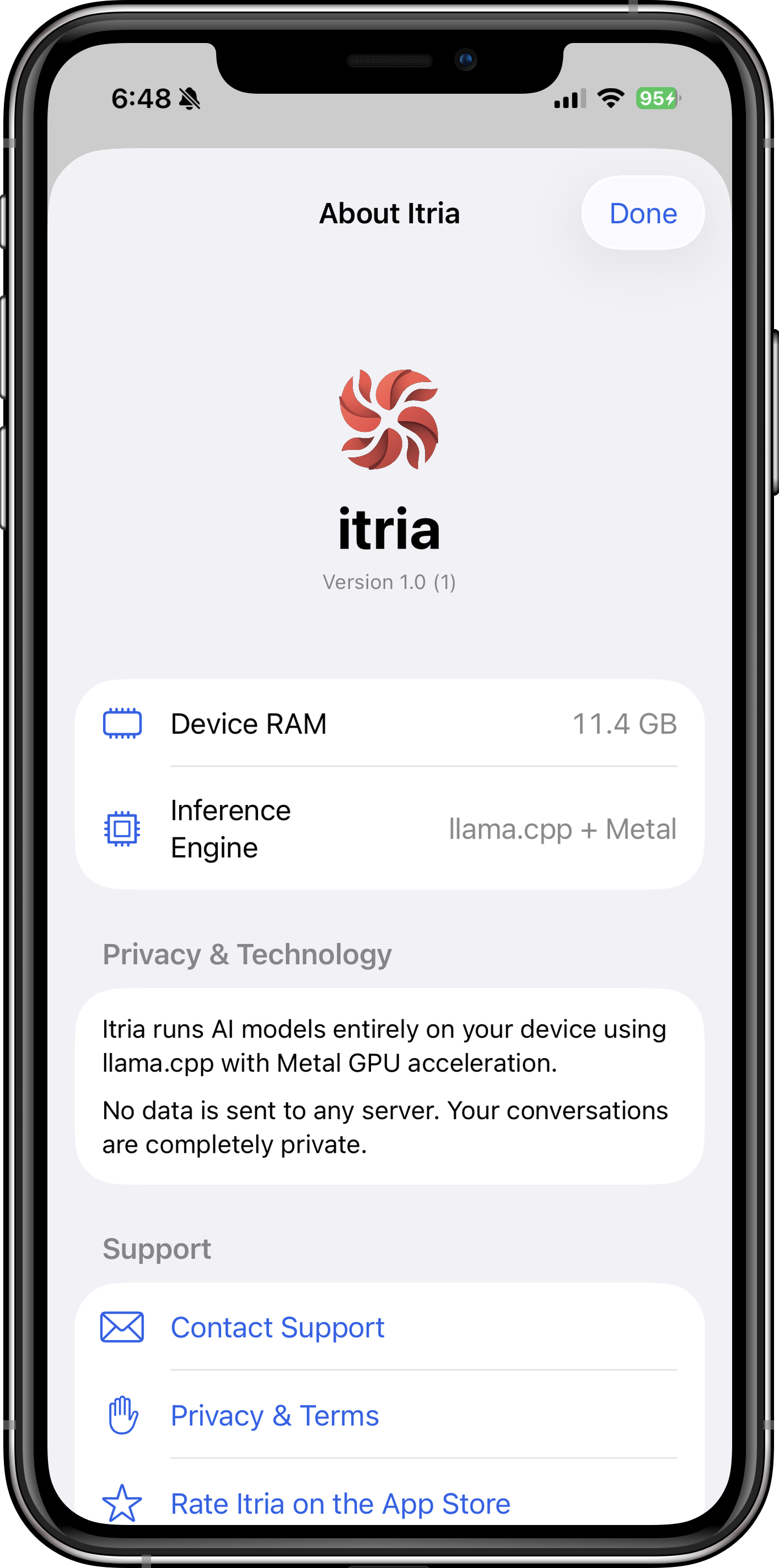
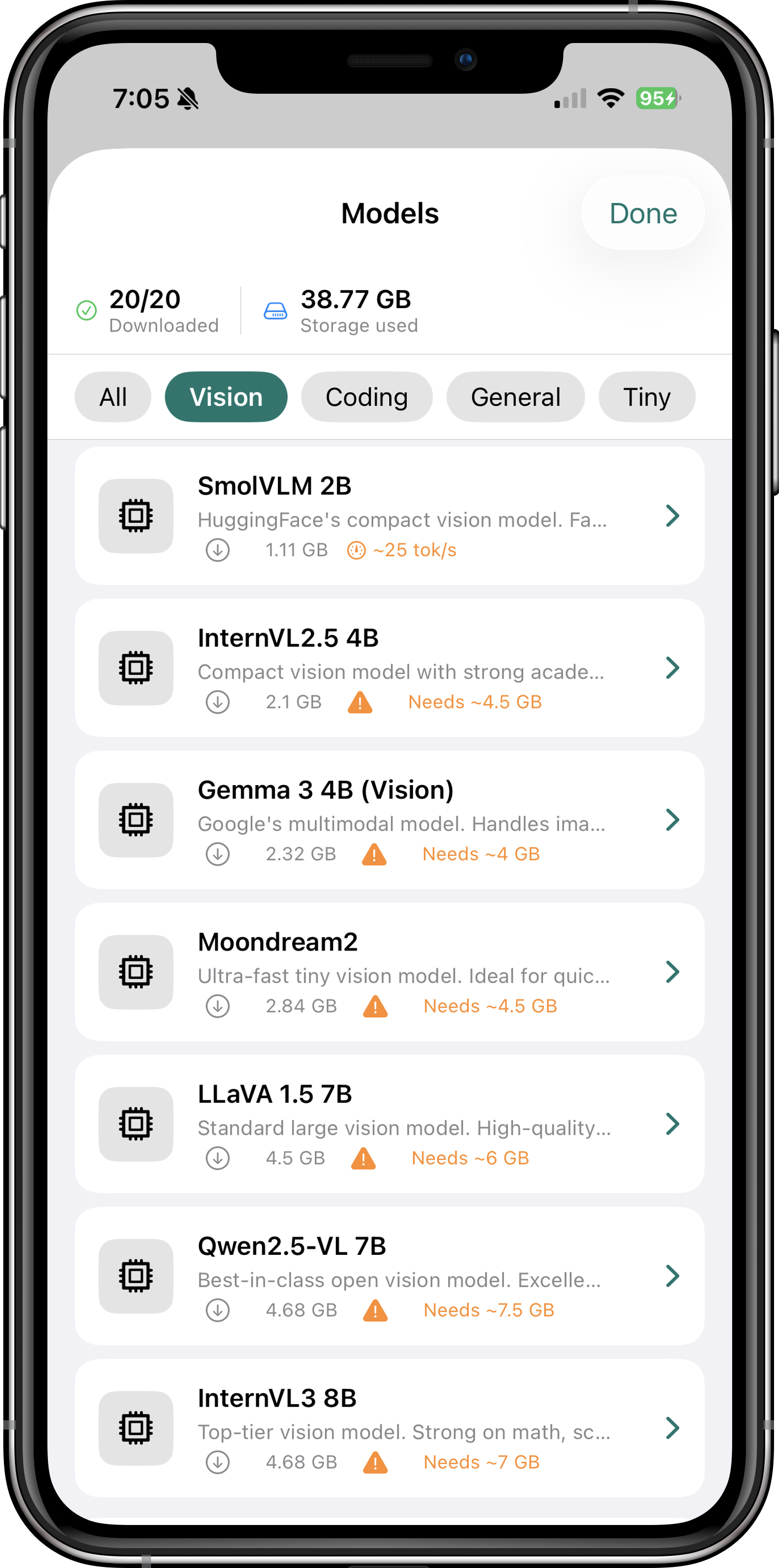
Browse through these screenshots to explore the app's interface and features. Each view showcases a different aspect of how Itria brings powerful AI to your device.
Model Categories
Itria supports three main categories of models:
- Text-Only Models: Llama 3.1, Mistral, Phi-3, Gemma, and more — perfect for chat, coding, and reasoning tasks.
- Vision-Language Models (VLMs): Qwen2.5-VL, InternVL3, SmolVLM — analyze images, extract text, interpret charts and diagrams.
- Specialized Models: Code-focused models (CodeLlama, DeepSeek-Coder), multilingual models, and domain-specific fine-tunes.
Supported Models
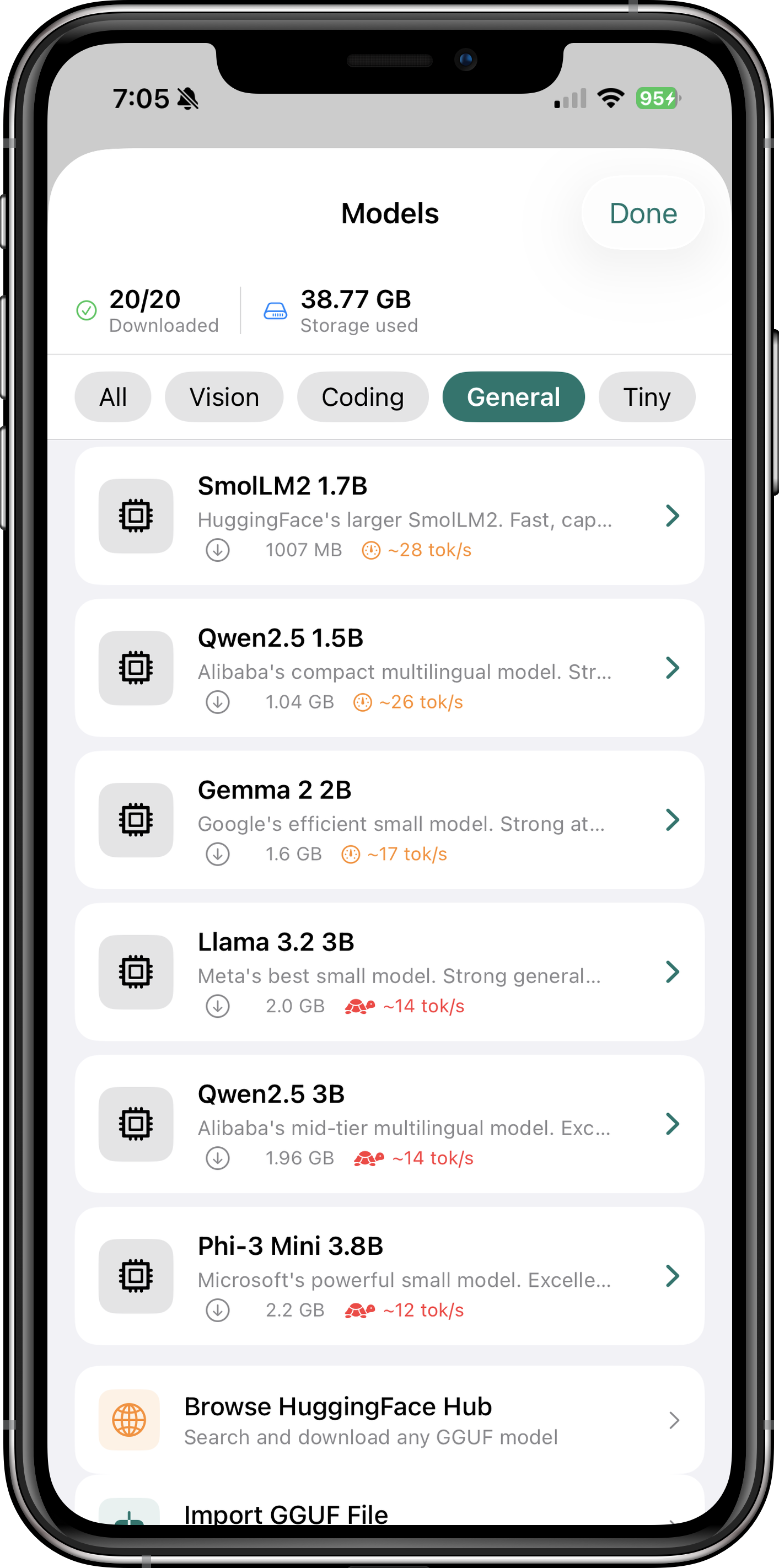
Itria comes with a curated selection of models optimized for iOS devices. All models are quantized (Q4_K_M or similar) to balance quality and memory usage.
Browse through Itria's extensive model library to find the perfect AI for your needs. Each model is carefully selected for performance on iOS devices, with options ranging from lightweight 2GB models for older devices to powerful 13B+ models for the latest iPhone and iPad Pro.
The built-in HuggingFace integration lets you search and download any GGUF model directly within the app. Every model is quantized using the GGUF format (Q4_K_M is the sweet spot — 95%+ of full-precision quality at just 25% of the memory cost), and large models download in the background while you use other apps.
Recommended Text Models
| Model | Size | RAM Required | Best For |
|---|---|---|---|
| Llama 3.1 8B | 4.7 GB | ~6 GB | General-purpose chat, coding, reasoning |
| Mistral 7B | 4.4 GB | ~5.5 GB | Fast, capable general assistant |
| Phi-3 Mini 3.8B | 2.3 GB | ~4 GB | Quick responses on older devices |
| Gemma 2 9B | 5.6 GB | ~7 GB | Creative writing, nuanced conversations |
Recommended Vision Models
| Model | Size | RAM Required | Best For |
|---|---|---|---|
| Qwen2.5-VL 7B | 4.7 GB | ~7.5 GB | Best overall vision model — OCR, charts, documents |
| InternVL3 8B | 4.7 GB | ~7 GB | Math, science images, academic diagrams |
| SmolVLM 2B | 1.1 GB | ~2.5 GB | Fast image captioning on older devices |
| Moondream2 | 2.8 GB | ~4.5 GB | Ultra-fast visual Q&A, simple image descriptions |
How to Download Models
- Open Itria and navigate to the "Models" tab
- Browse the curated list or search HuggingFace directly
- Tap a model to see details (size, RAM requirements, speed estimate)
- Tap "Download" — the model will download in the background
- Once complete, select the model and start chatting
Getting Started
Prerequisites
- Device: iPhone XS/iPad Air (3rd gen) or later recommended. iOS 16.0+ required.
- Storage: Allow 5-10 GB free space for models (each model is 2-8 GB)
- Internet: Required only for initial model downloads
Quick Start Guide
- Download Itria from the App Store
- Open the app — you'll see the Models tab by default
- Choose a model: Start with "Llama 3.1 8B" for general use, or "Moondream2" if you want to try vision
- Wait for download — models are large but download in the background
- Select your model from the dropdown and start chatting
- Customize settings: Adjust temperature, context size, and other parameters in Settings
Pro Tips
Itria is designed to work out of the box, but a few key settings unlock its full potential. Dialing in GPU layers, context size, and the right model for your device makes the difference between a sluggish assistant and one that keeps up with your thoughts.
- GPU Layers: In Settings, set GPU Layers to 99 (All) for maximum speed. The app will automatically use your device's Metal GPU.
- Context Size: Larger context (4096-8192 tokens) enables longer conversations but uses more RAM. Start with 2048 if you have an older device.
- Vision Models: Tap the image icon in the chat to upload photos. Ask questions like "What text is in this image?" or "Explain this chart."
- Personas: Pro users can switch between Architect (coding), Muse (writing), Oracle (math), and Zen (concise) for tailored responses.
Privacy & Security
Itria is built on the principle that AI should enhance your capabilities without compromising your privacy. Here's how we deliver on that promise:
No Data Collection
- No personal information: We do not collect, store, or transmit any personally identifiable information (PII)
- No analytics: Zero third-party analytics, telemetry, or tracking SDKs are integrated
- No cloud storage: All processing occurs locally on your device — your conversations never leave your iPhone or iPad
- No internet permissions: The app does not require network access for core functionality (only needed for model downloads)
Data Ownership & Control
- Your data, your control: All chat history and settings are stored locally in iOS Keychain and UserDefaults
- No background transmission: The app cannot send data without your explicit action
- Local model storage: Downloaded models are stored in the app's sandbox — you can delete them anytime
Technical Privacy Measures
- Sandboxed execution: Models run in iOS's secure sandbox with no access to other apps or system data
- In-memory processing: All inference calculations happen in RAM and are cleared when the app closes
- No remote code execution: The app cannot fetch or execute code from external servers after installation
Transparency
Itria is built on open-source technologies (llama.cpp, GGUF format) that are auditable by anyone. The app's privacy policy is simple: we don't touch your data. If you're concerned about privacy, Itria gives you the most control possible.
Every aspect of Itria's privacy architecture is designed around the principle that your data belongs to you, not to a corporation. The app uses iOS's built-in Keychain for secure storage of sensitive settings, and all model files are stored in the app's isolated sandbox — completely inaccessible to other apps or Apple itself.
Delete the app and everything disappears. Export your chats via the Files app if you want to keep them. Itria respects your data sovereignty at every level.
Troubleshooting Guide
Common Issues
| Symptom | Likely Cause | Solution |
|---|---|---|
| App crashes on launch | Corrupted cache or iOS bug | Restart your device. If issue persists, delete and reinstall Itria (chat history is local but can be backed up via Files app). |
| Model fails to load | Insufficient RAM or corrupted download | Check your device's available RAM in Settings > About. Close other apps. Delete the model and re-download it. |
| Very slow generation | GPU offloading not enabled | Go to Settings > Performance and ensure GPU Layers is set to 99 (All). Your device must support Metal (iPhone XS/iPad Air 3 or later). |
| Download stuck at 99% | Network interruption | Pause and resume the download. If still stuck, cancel and restart the download with a stable Wi-Fi connection. |
| Vision model returns errors | Image too large or unsupported format | Resize images to under 2048px on the longest side. Use JPG or PNG format only. |
| App uses too much battery | Large context size or long conversations | Reduce Context Size in Settings (try 2048 instead of 8192). Longer conversations naturally use more power. |
Performance Optimization
- Close background apps: Free up RAM before loading large models (8B+ parameter models need 6-8 GB available)
- Use quantized models: Q4_K_M models offer the best balance of speed and quality for iOS devices
- Avoid multitasking: Running Itria alongside video editing or gaming apps can cause memory pressure
- Keep iOS updated: Newer iOS versions include Metal performance improvements that benefit Itria
Frequently Asked Questions
Q: Do I need an internet connection to use Itria?
No, once you download a model, Itria works entirely offline. You only need internet for the initial model download and for browsing HuggingFace in the app.
Q: Can I sync my chats across devices?
Currently, all data is stored locally on each device. We're considering cloud sync as a Pro feature, but it would be end-to-end encrypted with your choice of storage provider.
Q: How much storage do I need?
Each model is 2-8 GB depending on size and quantization. We recommend at least 10 GB free space to download a few models comfortably.
Q: Which models work best on older devices?
For iPhone XS/XR or iPad Air 3, try Phi-3 Mini (3.8B) or SmolVLM (2B). These require only ~4 GB RAM and still deliver impressive performance.
Q: Can I use my own custom models?
Yes! Import any GGUF file from the Files app or cloud storage. Itria supports all standard GGUF variants (Q4_K_M, Q5_K_M, Q8_0, etc.).
Q: Is there a Pro version?
Itria is free to download with all core features. Pro ($4.99/month or $29.99/year) unlocks Specialist Personas (Architect, Muse, Oracle, Zen), priority support, and early access to new models.
Q: How does the vision model work?
Vision models like Qwen2.5-VL and InternVL3 can analyze any image you upload. Ask questions like "What text is in this image?" (OCR), "Explain this graph" (chart interpretation), or "What objects are in this photo?" (object detection).
Q: Can I use Itria for coding?
Absolutely! Select the Architect persona or use a code-focused model like CodeLlama. Itria can write, debug, and explain code in any language — right from your device, with no code ever leaving it. The Pro version includes specialized coding optimizations and persona presets tuned for architecture and debugging workflows.
Technical Specifications
System Requirements
| Minimum iOS | 16.0 |
| Recommended iOS | 17.0 or later |
| Development Framework | SwiftUI |
| Programming Language | Swift 5.9+ |
| Inference Engine | llama.cpp with Metal GPU acceleration |
| Model Format | GGUF (all quantization levels) |
| GPU Requirements | Apple A12 Bionic (iPhone XS) or later for full Metal support |
| RAM Requirements | 4 GB minimum, 8 GB recommended for 7B+ models |
Performance Benchmarks
Token generation speeds vary by device and model size. Here are typical results on iPhone 15 Pro (A17 Pro):
- Llama 3.1 8B (Q4_K_M): ~25-30 tokens/second
- Mistral 7B (Q4_K_M): ~28-32 tokens/second
- Phi-3 Mini 3.8B (Q4_K_M): ~40-45 tokens/second
- Qwen2.5-VL 7B (vision): ~15-20 tokens/second (prefill + generation)
These benchmarks demonstrate why Apple Silicon is ideal for on-device AI. The A17 Pro's GPU can process thousands of parallel operations simultaneously, delivering desktop-like performance in a mobile form factor.
Older devices will see proportionally lower speeds — an iPhone 13 Pro might achieve 15-20 tok/s with Llama 3.1 8B, while an iPhone XS (A12) could manage 8-12 tok/s. Match the model size to your device's capabilities for optimal performance.
Data Storage
- Chat History: Stored in iOS Keychain (encrypted)
- Settings: UserDefaults with encryption for sensitive values
- Models: App sandbox storage (~2-8 GB per model)
- No cloud backup: All data is local-only by design
Get in Touch
We'd love to hear from you! Whether you have questions, feedback, or just want to share how you're using Itria:
- Email: engineer@makersportal.com
- Website: makersportal.com
- GitHub: github.com/makerportal
Feature Requests & Bug Reports
For detailed bug reports or feature requests, please include:
- Your device model and iOS version
- The model you were using (name and size)
- Steps to reproduce the issue
- Screenshots or logs if applicable